
Tabscanner API
Upload a photo of a receipt and get back structured JSON: merchant, date, totals, taxes, tip, payment method and every line item. Two calls, one API key, any language.
Introduction
Tabscanner is a receipt OCR service. You send an image of a point-of-sale receipt and receive a JSON object describing what is printed on it. The extraction combines layout-aware OCR with region-specific rules, so it handles many languages, currencies and receipt formats.
How it works
- Upload. Send one JPG or PNG image to
POST /api/2/process. The API queues it and immediately returns atoken. - Poll. Call
GET /api/result/{token}until the body reports code202. Processing normally takes a few seconds. - Use the data. The
resultobject contains the merchant, date, amounts, confidences and line items. Store what you need; results are kept for 90 days.
Ground rules
- Server-side only. Your API key grants access to your account and credit. Call the API from your backend, never from a mobile app or browser. That is why there are no Swift, Kotlin or browser samples here.
- TLS only. The API is served over HTTPS at
https://api.tabscanner.com. There is no plain HTTP endpoint. - Read the body code, not the HTTP status. Every response is HTTP 200. The outcome of a call is the numeric
codein the JSON body. See Responses and codes. - One image per call. JPG or PNG, ideally 720 by 1280 pixels or larger.
Getting an API key
Sign up at dashboard.tabscanner.com. Your key is shown under API details. The Starter plan includes free monthly credits, and each processed image uses one credit.
- Base URL
https://api.tabscanner.com- Auth
apikeyrequest header- Upload
multipart/form-data, one JPG or PNG- Responses
- JSON, always HTTP 200, outcome in
code - Retention
- Images and results deleted after 90 days
- Spec
- openapi.yaml · result.schema.json · llms.txt
Quickstart
The program on the right is the complete flow: upload, poll, print. Pick your language, set TABSCANNER_API_KEY in the environment, and run it against a receipt photo.
- Export your key:
export TABSCANNER_API_KEY=your-key - Save the sample next to a receipt image called
receipt.jpg - Run it. After a few seconds it prints the establishment and the total.
Every sample on this page is a real file from the examples folder of the docs repository and is exercised by an automated test suite against a mock of this API, so it runs as shown. Samples read the base URL from TABSCANNER_API_URL only so the tests can point them at the mock; you can delete that line.
It posts the image with region=us, checks that the body code is 200 or 300, then calls the result endpoint every second until the code is 202. A code of 301 means "not ready yet". Any other code is an error and the program stops with the message from the API.
Change region to the two-letter country code of your receipts. It is optional but it noticeably improves date, number and merchant extraction. See Regions and locales.
#!/usr/bin/env bash
# Full flow: upload a receipt, poll until the result is ready, print establishment and total.
# Needs jq. Usage: TABSCANNER_API_KEY=your-key ./scan.sh receipt.jpg
set -euo pipefail
API_URL="${TABSCANNER_API_URL:-https://api.tabscanner.com}"
POLL_SECONDS="${TABSCANNER_POLL_SECONDS:-1}"
IMAGE="${1:-receipt.jpg}"

# 1. Upload. The HTTP status is always 200; the outcome is the "code" field in the body.
upload=$(curl --silent --show-error --request POST "$API_URL/api/2/process" \
  --header "apikey: $TABSCANNER_API_KEY" --form "file=@$IMAGE" --form "region=us")
code=$(jq -r '.code' <<<"$upload")
if [[ "$code" != "200" && "$code" != "300" ]]; then
  echo "Upload failed: $code $(jq -r '.message' <<<"$upload")" >&2
  exit 1
fi
token=$(jq -r '.token' <<<"$upload")

# 2. Poll. 301 means not ready yet, 202 means done, anything else is an error.
for _ in $(seq 1 60); do
  sleep "$POLL_SECONDS"
  body=$(curl --silent --show-error "$API_URL/api/result/$token" --header "apikey: $TABSCANNER_API_KEY")
  code=$(jq -r '.code' <<<"$body")
  if [[ "$code" == "202" ]]; then
    jq -r '"Establishment: \(.result.establishment)\nTotal: \(.result.total) \(.result.currency)"' <<<"$body"
    exit 0
  elif [[ "$code" != "301" ]]; then
    echo "Result failed: $code $(jq -r '.message' <<<"$body")" >&2
    exit 1
  fi
done
echo "Timed out waiting for the result" >&2
exit 1// Full flow: upload a receipt, poll until the result is ready, print establishment and total.
// Node 20 or newer, no packages. Usage: node scan.js receipt.jpg
import { openAsBlob } from 'node:fs';
import path from 'node:path';
const API_URL = process.env.TABSCANNER_API_URL ?? 'https://api.tabscanner.com';
const API_KEY = process.env.TABSCANNER_API_KEY;
const POLL_MS = Number(process.env.TABSCANNER_POLL_MS ?? 1000);
const TIMEOUT_MS = 60_000;
const imagePath = process.argv[2] ?? 'receipt.jpg';
const sleep = (ms) => new Promise((resolve) => setTimeout(resolve, ms));
// Every response is HTTP 200; the outcome is the "code" field in the JSON body.
async function api(route, init = {}) {
const response = await fetch(`${API_URL}${route}`, { ...init, headers: { apikey: API_KEY } });
return response.json();
}
// 1. Upload the image and get a token.
const form = new FormData();
const mimeType = imagePath.toLowerCase().endsWith('.png') ? 'image/png' : 'image/jpeg';
form.append('file', await openAsBlob(imagePath, { type: mimeType }), path.basename(imagePath));
form.append('region', 'us'); // country of the receipt, improves accuracy
const upload = await api('/api/2/process', { method: 'POST', body: form });
if (upload.code !== 200 && upload.code !== 300) {
console.error(`Upload failed: ${upload.code} ${upload.message}`);
process.exit(1);
}
// 2. Poll for the result. 301 means not ready yet, 202 means done, anything else is an error.
const deadline = Date.now() + TIMEOUT_MS;
let result;
while (!result) {
await sleep(POLL_MS);
const body = await api(`/api/result/${upload.token}`);
if (body.code === 202) {
result = body.result;
} else if (body.code !== 301) {
console.error(`Result failed: ${body.code} ${body.message}`);
process.exit(1);
} else if (Date.now() > deadline) {
console.error('Timed out waiting for the result');
process.exit(1);
}
}
// 3. Use the data.
console.log(`Establishment: ${result.establishment}`);
console.log(`Total: ${result.total} ${result.currency}`);"""Full flow: upload a receipt, poll until the result is ready, print establishment and total.
Python 3.9 or newer, needs `pip install requests`. Usage: python scan.py receipt.jpg
"""
import os
import sys
import time
import requests
API_URL = os.environ.get("TABSCANNER_API_URL", "https://api.tabscanner.com")
API_KEY = os.environ["TABSCANNER_API_KEY"]
POLL_SECONDS = int(os.environ.get("TABSCANNER_POLL_MS", "1000")) / 1000
TIMEOUT_SECONDS = 60
image_path = sys.argv[1] if len(sys.argv) > 1 else "receipt.jpg"
session = requests.Session()
session.headers["apikey"] = API_KEY
# 1. Upload the image and get a token.
# Every response is HTTP 200; the outcome is the "code" field in the JSON body.
mime_type = "image/png" if image_path.lower().endswith(".png") else "image/jpeg"
with open(image_path, "rb") as image:
upload = session.post(
f"{API_URL}/api/2/process",
files={"file": (os.path.basename(image_path), image, mime_type)},
data={"region": "us"}, # country of the receipt, improves accuracy
timeout=60,
).json()
if upload["code"] not in (200, 300):
sys.exit(f"Upload failed: {upload['code']} {upload['message']}")
# 2. Poll for the result. 301 means not ready yet, 202 means done, anything else is an error.
deadline = time.monotonic() + TIMEOUT_SECONDS
while True:
time.sleep(POLL_SECONDS)
body = session.get(f"{API_URL}/api/result/{upload['token']}", timeout=30).json()
if body["code"] == 202:
result = body["result"]
break
if body["code"] != 301:
sys.exit(f"Result failed: {body['code']} {body['message']}")
if time.monotonic() > deadline:
sys.exit("Timed out waiting for the result")
# 3. Use the data.
print(f"Establishment: {result['establishment']}")
print(f"Total: {result['total']} {result['currency']}")<?php
// Full flow: upload a receipt, poll until the result is ready, print establishment and total.
// PHP 8 with the curl extension. Usage: php scan.php receipt.jpg
$apiUrl = getenv('TABSCANNER_API_URL') ?: 'https://api.tabscanner.com';
$apiKey = getenv('TABSCANNER_API_KEY');
$pollMicroseconds = (int) (getenv('TABSCANNER_POLL_MS') ?: 1000) * 1000;
$timeoutSeconds = 60;
$imagePath = $argv[1] ?? 'receipt.jpg';
// Every response is HTTP 200; the outcome is the "code" field in the JSON body.
function api(string $url, array $options = []): array
{
global $apiKey;
$ch = curl_init($url);
curl_setopt_array($ch, $options + [
CURLOPT_HTTPHEADER => ["apikey: $apiKey"],
CURLOPT_RETURNTRANSFER => true,
]);
$raw = curl_exec($ch);
if ($raw === false) {
fwrite(STDERR, 'Request failed: ' . curl_error($ch) . "\n");
exit(1);
}
curl_close($ch);
return json_decode($raw, true);
}
// 1. Upload the image and get a token.
$mimeType = str_ends_with(strtolower($imagePath), '.png') ? 'image/png' : 'image/jpeg';
$upload = api("$apiUrl/api/2/process", [
CURLOPT_POST => true,
CURLOPT_POSTFIELDS => [
'file' => new CURLFile($imagePath, $mimeType, basename($imagePath)),
'region' => 'us', // country of the receipt, improves accuracy
],
]);
if (!in_array($upload['code'], [200, 300], true)) {
fwrite(STDERR, "Upload failed: {$upload['code']} {$upload['message']}\n");
exit(1);
}
// 2. Poll for the result. 301 means not ready yet, 202 means done, anything else is an error.
$deadline = microtime(true) + $timeoutSeconds;
while (true) {
usleep($pollMicroseconds);
$body = api("$apiUrl/api/result/{$upload['token']}");
if ($body['code'] === 202) {
$result = $body['result'];
break;
}
if ($body['code'] !== 301) {
fwrite(STDERR, "Result failed: {$body['code']} {$body['message']}\n");
exit(1);
}
if (microtime(true) > $deadline) {
fwrite(STDERR, "Timed out waiting for the result\n");
exit(1);
}
}
// 3. Use the data.
echo "Establishment: {$result['establishment']}\n";
echo "Total: {$result['total']} {$result['currency']}\n";# Full flow: upload a receipt, poll until the result is ready, print establishment and total.
# Ruby 2.6 or newer, standard library only. Usage: ruby scan.rb receipt.jpg
require 'net/http'
require 'json'
API_URL = ENV.fetch('TABSCANNER_API_URL', 'https://api.tabscanner.com')
API_KEY = ENV.fetch('TABSCANNER_API_KEY')
POLL_SECONDS = ENV.fetch('TABSCANNER_POLL_MS', '1000').to_i / 1000.0
TIMEOUT_SECONDS = 60
image_path = ARGV[0] || 'receipt.jpg'
# Every response is HTTP 200; the outcome is the "code" field in the JSON body.
def api(request)
request['apikey'] = API_KEY
uri = request.uri
response = Net::HTTP.start(uri.host, uri.port, use_ssl: uri.scheme == 'https') do |http|
http.request(request)
end
JSON.parse(response.body)
end
# 1. Upload the image and get a token.
mime_type = image_path.downcase.end_with?('.png') ? 'image/png' : 'image/jpeg'
upload = File.open(image_path, 'rb') do |image|
request = Net::HTTP::Post.new(URI("#{API_URL}/api/2/process"))
request.set_form(
[
['file', image, { filename: File.basename(image_path), content_type: mime_type }],
['region', 'us'] # country of the receipt, improves accuracy
],
'multipart/form-data'
)
api(request)
end
unless [200, 300].include?(upload['code'])
warn "Upload failed: #{upload['code']} #{upload['message']}"
exit 1
end
# 2. Poll for the result. 301 means not ready yet, 202 means done, anything else is an error.
deadline = Time.now + TIMEOUT_SECONDS
result = nil
until result
sleep POLL_SECONDS
body = api(Net::HTTP::Get.new(URI("#{API_URL}/api/result/#{upload['token']}")))
if body['code'] == 202
result = body['result']
elsif body['code'] != 301
warn "Result failed: #{body['code']} #{body['message']}"
exit 1
elsif Time.now > deadline
warn 'Timed out waiting for the result'
exit 1
end
end
# 3. Use the data.
puts "Establishment: #{result['establishment']}"
puts "Total: #{result['total']} #{result['currency']}"// Full flow: upload a receipt, poll until the result is ready, print establishment and total.
// Java 17 or newer, standard library only. Run: java Scan.java receipt.jpg
import java.net.URI;
import java.net.http.HttpClient;
import java.net.http.HttpRequest;
import java.net.http.HttpResponse;
import java.nio.charset.StandardCharsets;
import java.nio.file.Files;
import java.nio.file.Path;
import java.util.List;
import java.util.regex.Matcher;
import java.util.regex.Pattern;
public class Scan {
static final String API_URL = System.getenv().getOrDefault("TABSCANNER_API_URL", "https://api.tabscanner.com");
static final String API_KEY = System.getenv("TABSCANNER_API_KEY");
static final long POLL_MS = Long.parseLong(System.getenv().getOrDefault("TABSCANNER_POLL_MS", "1000"));
static final long TIMEOUT_MS = 60_000;
static final HttpClient CLIENT = HttpClient.newHttpClient();
public static void main(String[] args) throws Exception {
Path image = Path.of(args.length > 0 ? args[0] : "receipt.jpg");
// 1. Upload the image and get a token.
// Every response is HTTP 200; the outcome is the "code" field in the JSON body.
String boundary = "----TabscannerBoundary" + System.nanoTime();
String upload = send(HttpRequest.newBuilder(URI.create(API_URL + "/api/2/process"))
.header("Content-Type", "multipart/form-data; boundary=" + boundary)
.POST(multipartBody(boundary, image, "us"))); // "us": country of the receipt
int code = Integer.parseInt(field(upload, "code"));
if (code != 200 && code != 300) {
System.err.println("Upload failed: " + code + " " + field(upload, "message"));
System.exit(1);
}
String token = field(upload, "token");
// 2. Poll for the result. 301 means not ready yet, 202 means done, anything else is an error.
long deadline = System.currentTimeMillis() + TIMEOUT_MS;
String result;
while (true) {
Thread.sleep(POLL_MS);
String body = send(HttpRequest.newBuilder(URI.create(API_URL + "/api/result/" + token)).GET());
code = Integer.parseInt(field(body, "code"));
if (code == 202) {
result = body;
break;
}
if (code != 301) {
System.err.println("Result failed: " + code + " " + field(body, "message"));
System.exit(1);
}
if (System.currentTimeMillis() > deadline) {
System.err.println("Timed out waiting for the result");
System.exit(1);
}
}
// 3. Use the data.
System.out.println("Establishment: " + field(result, "establishment"));
System.out.println("Total: " + field(result, "total") + " " + field(result, "currency"));
}
static String send(HttpRequest.Builder request) throws Exception {
return CLIENT.send(request.header("apikey", API_KEY).build(), HttpResponse.BodyHandlers.ofString()).body();
}
/** Builds a multipart/form-data body with one file part and a region field. */
static HttpRequest.BodyPublisher multipartBody(String boundary, Path image, String region) throws Exception {
String mimeType = image.toString().toLowerCase().endsWith(".png") ? "image/png" : "image/jpeg";
String regionPart = "--" + boundary + "\r\n"
+ "Content-Disposition: form-data; name=\"region\"\r\n\r\n" + region + "\r\n";
String fileHeader = "--" + boundary + "\r\n"
+ "Content-Disposition: form-data; name=\"file\"; filename=\"" + image.getFileName() + "\"\r\n"
+ "Content-Type: " + mimeType + "\r\n\r\n";
String closing = "\r\n--" + boundary + "--\r\n";
return HttpRequest.BodyPublishers.ofByteArrays(List.of(
regionPart.getBytes(StandardCharsets.UTF_8),
fileHeader.getBytes(StandardCharsets.UTF_8),
Files.readAllBytes(image),
closing.getBytes(StandardCharsets.UTF_8)));
}
/** Reads the first JSON value with this key. Use Jackson or Gson in real code. */
static String field(String json, String name) {
Matcher m = Pattern.compile("\"" + name + "\"\\s*:\\s*(?:\"((?:[^\"\\\\]|\\\\.)*)\"|([^,}\\s]+))").matcher(json);
return m.find() ? (m.group(1) != null ? m.group(1) : m.group(2)) : null;
}
}// Full flow: upload a receipt, poll until the result is ready, print establishment and total.
// Go 1.21 or newer, standard library only. Run: go run ./cmd/scan receipt.jpg
package main
import (
"bytes"
"encoding/json"
"fmt"
"io"
"mime/multipart"
"net/http"
"net/textproto"
"os"
"path/filepath"
"strconv"
"strings"
"time"
)
var (
apiURL = envOr("TABSCANNER_API_URL", "https://api.tabscanner.com")
apiKey = os.Getenv("TABSCANNER_API_KEY")
)
// envelope holds the fields shared by every response. The HTTP status is always 200;
// the outcome is Code.
type envelope struct {
Code int `json:"code"`
Message string `json:"message"`
Token string `json:"token"`
Result struct {
Establishment string `json:"establishment"`
Total float64 `json:"total"`
Currency string `json:"currency"`
} `json:"result"`
}
func main() {
pollMs, _ := strconv.Atoi(envOr("TABSCANNER_POLL_MS", "1000"))
timeout := 60 * time.Second
imagePath := "receipt.jpg"
if len(os.Args) > 1 {
imagePath = os.Args[1]
}
// 1. Upload the image and get a token.
body, contentType, err := multipartBody(imagePath, "us") // "us": country of the receipt
if err != nil {
fail(err)
}
upload, err := call(http.MethodPost, "/api/2/process", body, contentType)
if err != nil {
fail(err)
}
if upload.Code != 200 && upload.Code != 300 {
fail(fmt.Errorf("upload failed: %d %s", upload.Code, upload.Message))
}
// 2. Poll for the result. 301 means not ready yet, 202 means done, anything else is an error.
deadline := time.Now().Add(timeout)
var result envelope
for {
time.Sleep(time.Duration(pollMs) * time.Millisecond)
reply, err := call(http.MethodGet, "/api/result/"+upload.Token, nil, "")
if err != nil {
fail(err)
}
if reply.Code == 202 {
result = reply
break
}
if reply.Code != 301 {
fail(fmt.Errorf("result failed: %d %s", reply.Code, reply.Message))
}
if time.Now().After(deadline) {
fail(fmt.Errorf("timed out waiting for the result"))
}
}
// 3. Use the data.
fmt.Printf("Establishment: %s\n", result.Result.Establishment)
fmt.Printf("Total: %.2f %s\n", result.Result.Total, result.Result.Currency)
}
func call(method, route string, body io.Reader, contentType string) (envelope, error) {
var reply envelope
req, err := http.NewRequest(method, apiURL+route, body)
if err != nil {
return reply, err
}
req.Header.Set("apikey", apiKey)
if contentType != "" {
req.Header.Set("Content-Type", contentType)
}
res, err := http.DefaultClient.Do(req)
if err != nil {
return reply, err
}
defer res.Body.Close()
return reply, json.NewDecoder(res.Body).Decode(&reply)
}
// multipartBody builds a multipart/form-data body with one file part and a region field.
func multipartBody(imagePath, region string) (*bytes.Buffer, string, error) {
file, err := os.Open(imagePath)
if err != nil {
return nil, "", err
}
defer file.Close()
mimeType := "image/jpeg"
if strings.HasSuffix(strings.ToLower(imagePath), ".png") {
mimeType = "image/png"
}
var buf bytes.Buffer
w := multipart.NewWriter(&buf)
header := textproto.MIMEHeader{}
header.Set("Content-Disposition", fmt.Sprintf(`form-data; name="file"; filename="%s"`, filepath.Base(imagePath)))
header.Set("Content-Type", mimeType)
part, err := w.CreatePart(header)
if err != nil {
return nil, "", err
}
if _, err := io.Copy(part, file); err != nil {
return nil, "", err
}
if err := w.WriteField("region", region); err != nil {
return nil, "", err
}
w.Close()
return &buf, w.FormDataContentType(), nil
}
func envOr(name, fallback string) string {
if v := os.Getenv(name); v != "" {
return v
}
return fallback
}
func fail(err error) {
fmt.Fprintln(os.Stderr, err)
os.Exit(1)
}// Full flow: upload a receipt, poll until the result is ready, print establishment and total.
// .NET 8, no packages. Run: dotnet run -- scan receipt.jpg
using System.Net.Http.Headers;
using System.Text.Json;
static class ScanSample
{
static readonly string ApiUrl = Environment.GetEnvironmentVariable("TABSCANNER_API_URL") ?? "https://api.tabscanner.com";
static readonly string ApiKey = Environment.GetEnvironmentVariable("TABSCANNER_API_KEY") ?? "";
static readonly int PollMs = int.Parse(Environment.GetEnvironmentVariable("TABSCANNER_POLL_MS") ?? "1000");
static readonly TimeSpan Timeout = TimeSpan.FromSeconds(60);
public static async Task<int> Run(string[] args)
{
var imagePath = args.Length > 0 ? args[0] : "receipt.jpg";
using var client = new HttpClient();
client.DefaultRequestHeaders.Add("apikey", ApiKey);
// 1. Upload the image and get a token.
// Every response is HTTP 200; the outcome is the "code" field in the JSON body.
using var form = new MultipartFormDataContent();
var file = new StreamContent(File.OpenRead(imagePath));
var mimeType = imagePath.EndsWith(".png", StringComparison.OrdinalIgnoreCase) ? "image/png" : "image/jpeg";
file.Headers.ContentType = new MediaTypeHeaderValue(mimeType);
form.Add(file, "file", Path.GetFileName(imagePath));
form.Add(new StringContent("us"), "region"); // country of the receipt, improves accuracy
var uploadResponse = await client.PostAsync($"{ApiUrl}/api/2/process", form);
using var upload = JsonDocument.Parse(await uploadResponse.Content.ReadAsStringAsync());
var code = upload.RootElement.GetProperty("code").GetInt32();
if (code != 200 && code != 300)
{
Console.Error.WriteLine($"Upload failed: {code} {upload.RootElement.GetProperty("message").GetString()}");
return 1;
}
var token = upload.RootElement.GetProperty("token").GetString();
// 2. Poll for the result. 301 means not ready yet, 202 means done, anything else is an error.
var deadline = DateTime.UtcNow + Timeout;
JsonElement result;
while (true)
{
await Task.Delay(PollMs);
var body = JsonDocument.Parse(await client.GetStringAsync($"{ApiUrl}/api/result/{token}"));
code = body.RootElement.GetProperty("code").GetInt32();
if (code == 202)
{
result = body.RootElement.GetProperty("result").Clone();
break;
}
if (code != 301)
{
Console.Error.WriteLine($"Result failed: {code} {body.RootElement.GetProperty("message").GetString()}");
return 1;
}
if (DateTime.UtcNow > deadline)
{
Console.Error.WriteLine("Timed out waiting for the result");
return 1;
}
}
// 3. Use the data.
Console.WriteLine($"Establishment: {result.GetProperty("establishment").GetString()}");
Console.WriteLine($"Total: {result.GetProperty("total").GetDecimal()} {result.GetProperty("currency").GetString()}");
return 0;
}
}Authentication
Send your API key in the apikey request header on every call. There is no other authentication scheme, no OAuth flow and no query-string alternative.
If the header is missing or the key is unknown, the body carries code 400 with the message "API key not found". If the account has no credit left, the code is 401.
Keeping the key safe
- Store it in an environment variable or a secrets manager, never in source control.
- Call the API from a backend service. A key embedded in a mobile or web app can be extracted and used against your credit.
- Accounts can hold more than one key, so you can rotate keys without downtime: create a new key in the dashboard, deploy it, then revoke the old one.
apikey: YOUR-API-KEY-FROM-THE-DASHBOARDMissing or unknown key
{
  "message": "API key not found",
  "status": "failed",
  "status_code": 400,
  "success": false,
  "code": 400
}
Responses and codes
Every endpoint returns JSON with HTTP status 200, whatever happened. The outcome is the numeric code field in the body, so client code must read the body rather than the status line. Client libraries that raise on non-2xx status will never raise; libraries that check response.ok will always see true.
301 means the result is not ready yet, not a redirect. 402 means the token was not found, not payment required. 202 means the result is available. Always compare against the table on the right.
The envelope
These fields are present on every JSON response. The credit endpoint is the one exception: it returns a bare number on success.
successboolean | Whether the call succeeded. |
statusstring | Human-readable outcome. |
status_codeinteger | Numeric code of the outcome. Same value as |
codeinteger | Numeric outcome code. See the code table ( |
messagestring | Human-readable description of |
Handling codes
- 200 and 300 from
process: the upload was accepted, usetoken. 300 additionally warns that the image is smaller than the recommended 720 by 1280 pixels. - 301 from
result: keep polling. - 202 from
result: done, readresult. - 4xx: a problem with the request or the account. Fix it before retrying; a retry with the same input gives the same answer.
- 5xx: a problem on the Tabscanner side. Retry with exponential backoff. For 500 (OCR failure) try a clearer image.
| Code | Meaning | What to do |
|---|---|---|
200 | Process request submitted successfully | Store the returned token and start polling the result endpoint after about 2 seconds. |
202 | Result available | Read the result object. Stop polling. |
300 | Image uploaded, but did not meet the recommended dimension of 720x1280 (WxH) | Processing continues. Accuracy may be reduced; capture higher resolution images if possible. |
301 | Result not yet available | Keep polling, about once per second. Give up after 60 seconds and report a timeout. |
400 | API key not found | Check the apikey header. Do not retry with the same key. |
401 | Not enough credit | Top up credit or upgrade the plan. Do not retry until credit is available. |
402 | Token not found | The token is unknown or older than the retention period. Do not retry. |
403 | No file detected | Send exactly one multipart part named file. |
404 | Multiple files detected, can only upload 1 file per API call | Send one file per call. |
405 | Unsupported mimetype | Send image/jpeg or image/png. |
406 | Form parser error | The multipart body is malformed. Check the request encoding. |
407 | Unsupported file extension | Use a .jpg, .jpeg or .png filename in the multipart part. |
408 | File system error | Retry once. If it persists contact support. |
500 | OCR Failure | The image could not be processed. Retry with a clearer image. |
510 | Server error | Retry with exponential backoff. |
520 | Database Connection Error | Retry with exponential backoff. |
521 | Database Query Error | Retry with exponential backoff. |
Upload a receipt
Submits one image as multipart/form-data. The image is queued and the call returns at once with a token. Use the token with the result endpoint.
The version number in the path selects the API version. The current version is 2; see Versioning.
Form fields
filefilerequired | The receipt image. JPG or PNG. Exactly one file per request. Recommended minimum 720x1280 pixels. |
regionstringoptional | Two-letter ISO 3166-1 country code of the receipt's country, lower case. Selects number and date formats, language and regional extraction rules, and improves accuracy. Strongly recommended. |
documentTypestringoptional | Type of document in the image. |
decimalPlacesintegeroptional | Hint for the number of decimal places used for amounts on the receipt (for example 3 for KWD or BHD). Improves number extraction when known in advance. This is a parsing hint, not an output format. |
centsbooleanoptional | Treat amounts printed without a decimal separator as minor units. Only applies together with |
defaultDateParsingstringoptional | How to read an ambiguous numeric date such as |
Response fields
In addition to the envelope:
successboolean | Whether the call succeeded. |
statusstring | Human-readable outcome. |
status_codeinteger | Numeric code of the outcome. Same value as |
codeinteger | Numeric outcome code. See the code table ( |
messagestring | Human-readable description of |
tokenstring | Token to pass to the result endpoint. Present when |
duplicateboolean |
|
duplicateTokenstringnullable | Token of the first upload of this image when |
When the same image bytes are uploaded again, duplicate is true and duplicateToken names the first upload. The new token is still valid and resolves to the same data. See Duplicates and retries.
#!/usr/bin/env bash
# Upload a receipt image. Prints the JSON response, which contains the token.
# Usage: TABSCANNER_API_KEY=your-key ./process.sh receipt.jpg
set -euo pipefail
API_URL="${TABSCANNER_API_URL:-https://api.tabscanner.com}"
IMAGE="${1:-receipt.jpg}"

curl --silent --show-error \
  --request POST "$API_URL/api/2/process" \
  --header "apikey: $TABSCANNER_API_KEY" \
  --form "file=@$IMAGE" \
  --form "region=us"
echo// Upload a receipt image. Prints the JSON response, which contains the token.
// Node 20 or newer, no packages. Usage: node process.js receipt.jpg
import { openAsBlob } from 'node:fs';
import path from 'node:path';
const API_URL = process.env.TABSCANNER_API_URL ?? 'https://api.tabscanner.com';
const API_KEY = process.env.TABSCANNER_API_KEY;
const imagePath = process.argv[2] ?? 'receipt.jpg';
const mimeType = imagePath.toLowerCase().endsWith('.png') ? 'image/png' : 'image/jpeg';
const form = new FormData();
form.append('file', await openAsBlob(imagePath, { type: mimeType }), path.basename(imagePath));
form.append('region', 'us'); // country of the receipt, improves accuracy
const response = await fetch(`${API_URL}/api/2/process`, {
method: 'POST',
headers: { apikey: API_KEY },
body: form,
});
const body = await response.json();
console.log(JSON.stringify(body, null, 2));
// The HTTP status is always 200; the outcome is body.code.
if (body.code !== 200 && body.code !== 300) {
console.error(`Upload failed: ${body.code} ${body.message}`);
process.exit(1);
}"""Upload a receipt image. Prints the JSON response, which contains the token.
Python 3.9 or newer, needs `pip install requests`. Usage: python process.py receipt.jpg
"""
import json
import os
import sys
import requests
API_URL = os.environ.get("TABSCANNER_API_URL", "https://api.tabscanner.com")
API_KEY = os.environ["TABSCANNER_API_KEY"]
image_path = sys.argv[1] if len(sys.argv) > 1 else "receipt.jpg"
mime_type = "image/png" if image_path.lower().endswith(".png") else "image/jpeg"
with open(image_path, "rb") as image:
response = requests.post(
f"{API_URL}/api/2/process",
headers={"apikey": API_KEY},
files={"file": (os.path.basename(image_path), image, mime_type)},
data={"region": "us"}, # country of the receipt, improves accuracy
timeout=60,
)
body = response.json()
print(json.dumps(body, indent=2))
# The HTTP status is always 200; the outcome is body["code"].
if body["code"] not in (200, 300):
sys.exit(f"Upload failed: {body['code']} {body['message']}")<?php
// Upload a receipt image. Prints the JSON response, which contains the token.
// PHP 8 with the curl extension. Usage: php process.php receipt.jpg
$apiUrl = getenv('TABSCANNER_API_URL') ?: 'https://api.tabscanner.com';
$apiKey = getenv('TABSCANNER_API_KEY');
$imagePath = $argv[1] ?? 'receipt.jpg';
$mimeType = str_ends_with(strtolower($imagePath), '.png') ? 'image/png' : 'image/jpeg';
$ch = curl_init("$apiUrl/api/2/process");
curl_setopt_array($ch, [
CURLOPT_POST => true,
CURLOPT_HTTPHEADER => ["apikey: $apiKey"],
CURLOPT_POSTFIELDS => [
'file' => new CURLFile($imagePath, $mimeType, basename($imagePath)),
'region' => 'us', // country of the receipt, improves accuracy
],
CURLOPT_RETURNTRANSFER => true,
]);
$raw = curl_exec($ch);
if ($raw === false) {
fwrite(STDERR, 'Request failed: ' . curl_error($ch) . "\n");
exit(1);
}
curl_close($ch);
$body = json_decode($raw, true);
echo json_encode($body, JSON_PRETTY_PRINT | JSON_UNESCAPED_SLASHES), "\n";
// The HTTP status is always 200; the outcome is $body['code'].
if (!in_array($body['code'], [200, 300], true)) {
fwrite(STDERR, "Upload failed: {$body['code']} {$body['message']}\n");
exit(1);
}# Upload a receipt image. Prints the JSON response, which contains the token.
# Ruby 2.6 or newer, standard library only. Usage: ruby process.rb receipt.jpg
require 'net/http'
require 'json'
API_URL = ENV.fetch('TABSCANNER_API_URL', 'https://api.tabscanner.com')
API_KEY = ENV.fetch('TABSCANNER_API_KEY')
image_path = ARGV[0] || 'receipt.jpg'
mime_type = image_path.downcase.end_with?('.png') ? 'image/png' : 'image/jpeg'
uri = URI("#{API_URL}/api/2/process")
request = Net::HTTP::Post.new(uri)
request['apikey'] = API_KEY
File.open(image_path, 'rb') do |image|
request.set_form(
[
['file', image, { filename: File.basename(image_path), content_type: mime_type }],
['region', 'us'] # country of the receipt, improves accuracy
],
'multipart/form-data'
)
response = Net::HTTP.start(uri.host, uri.port, use_ssl: uri.scheme == 'https') do |http|
http.request(request)
end
body = JSON.parse(response.body)
puts JSON.pretty_generate(body)
# The HTTP status is always 200; the outcome is body['code'].
unless [200, 300].include?(body['code'])
warn "Upload failed: #{body['code']} #{body['message']}"
exit 1
end
end// Upload a receipt image. Prints the JSON response, which contains the token.
// Java 17 or newer, standard library only. Run: java ProcessReceipt.java receipt.jpg
import java.net.URI;
import java.net.http.HttpClient;
import java.net.http.HttpRequest;
import java.net.http.HttpResponse;
import java.nio.charset.StandardCharsets;
import java.nio.file.Files;
import java.nio.file.Path;
import java.util.List;
import java.util.regex.Matcher;
import java.util.regex.Pattern;
public class ProcessReceipt {
static final String API_URL = System.getenv().getOrDefault("TABSCANNER_API_URL", "https://api.tabscanner.com");
static final String API_KEY = System.getenv("TABSCANNER_API_KEY");
public static void main(String[] args) throws Exception {
Path image = Path.of(args.length > 0 ? args[0] : "receipt.jpg");
String boundary = "----TabscannerBoundary" + System.nanoTime();
HttpRequest request = HttpRequest.newBuilder(URI.create(API_URL + "/api/2/process"))
.header("apikey", API_KEY)
.header("Content-Type", "multipart/form-data; boundary=" + boundary)
.POST(multipartBody(boundary, image, "us")) // "us": country of the receipt, improves accuracy
.build();
String body = HttpClient.newHttpClient()
.send(request, HttpResponse.BodyHandlers.ofString())
.body();
System.out.println(body);
// The HTTP status is always 200; the outcome is the "code" field in the body.
int code = Integer.parseInt(field(body, "code"));
if (code != 200 && code != 300) {
System.err.println("Upload failed: " + code + " " + field(body, "message"));
System.exit(1);
}
}
/** Builds a multipart/form-data body with one file part and a region field. */
static HttpRequest.BodyPublisher multipartBody(String boundary, Path image, String region) throws Exception {
String mimeType = image.toString().toLowerCase().endsWith(".png") ? "image/png" : "image/jpeg";
String regionPart = "--" + boundary + "\r\n"
+ "Content-Disposition: form-data; name=\"region\"\r\n\r\n" + region + "\r\n";
String fileHeader = "--" + boundary + "\r\n"
+ "Content-Disposition: form-data; name=\"file\"; filename=\"" + image.getFileName() + "\"\r\n"
+ "Content-Type: " + mimeType + "\r\n\r\n";
String closing = "\r\n--" + boundary + "--\r\n";
return HttpRequest.BodyPublishers.ofByteArrays(List.of(
regionPart.getBytes(StandardCharsets.UTF_8),
fileHeader.getBytes(StandardCharsets.UTF_8),
Files.readAllBytes(image),
closing.getBytes(StandardCharsets.UTF_8)));
}
/** Reads one top-level JSON value by key. Use Jackson or Gson in real code. */
static String field(String json, String name) {
Matcher m = Pattern.compile("\"" + name + "\"\\s*:\\s*(?:\"((?:[^\"\\\\]|\\\\.)*)\"|([^,}\\s]+))").matcher(json);
return m.find() ? (m.group(1) != null ? m.group(1) : m.group(2)) : null;
}
}// Upload a receipt image. Prints the JSON response, which contains the token.
// Go 1.21 or newer, standard library only. Run: go run ./cmd/process receipt.jpg
package main
import (
"bytes"
"encoding/json"
"fmt"
"io"
"mime/multipart"
"net/http"
"net/textproto"
"os"
"path/filepath"
"strings"
)
func main() {
apiURL := envOr("TABSCANNER_API_URL", "https://api.tabscanner.com")
apiKey := os.Getenv("TABSCANNER_API_KEY")
imagePath := "receipt.jpg"
if len(os.Args) > 1 {
imagePath = os.Args[1]
}
body, contentType, err := multipartBody(imagePath, "us") // "us": country of the receipt
if err != nil {
fail(err)
}
req, err := http.NewRequest(http.MethodPost, apiURL+"/api/2/process", body)
if err != nil {
fail(err)
}
req.Header.Set("apikey", apiKey)
req.Header.Set("Content-Type", contentType)
res, err := http.DefaultClient.Do(req)
if err != nil {
fail(err)
}
defer res.Body.Close()
raw, _ := io.ReadAll(res.Body)
fmt.Println(string(raw))
// The HTTP status is always 200; the outcome is the "code" field in the body.
var reply struct {
Code int `json:"code"`
Message string `json:"message"`
Token string `json:"token"`
}
if err := json.Unmarshal(raw, &reply); err != nil {
fail(err)
}
if reply.Code != 200 && reply.Code != 300 {
fail(fmt.Errorf("upload failed: %d %s", reply.Code, reply.Message))
}
}
// multipartBody builds a multipart/form-data body with one file part and a region field.
func multipartBody(imagePath, region string) (*bytes.Buffer, string, error) {
file, err := os.Open(imagePath)
if err != nil {
return nil, "", err
}
defer file.Close()
mimeType := "image/jpeg"
if strings.HasSuffix(strings.ToLower(imagePath), ".png") {
mimeType = "image/png"
}
var buf bytes.Buffer
w := multipart.NewWriter(&buf)
header := textproto.MIMEHeader{}
header.Set("Content-Disposition", fmt.Sprintf(`form-data; name="file"; filename="%s"`, filepath.Base(imagePath)))
header.Set("Content-Type", mimeType)
part, err := w.CreatePart(header)
if err != nil {
return nil, "", err
}
if _, err := io.Copy(part, file); err != nil {
return nil, "", err
}
if err := w.WriteField("region", region); err != nil {
return nil, "", err
}
w.Close()
return &buf, w.FormDataContentType(), nil
}
func envOr(name, fallback string) string {
if v := os.Getenv(name); v != "" {
return v
}
return fallback
}
func fail(err error) {
fmt.Fprintln(os.Stderr, err)
os.Exit(1)
}// Upload a receipt image. Prints the JSON response, which contains the token.
// .NET 8, no packages. Run: dotnet run -- process receipt.jpg
using System.Net.Http.Headers;
using System.Text.Json;
static class ProcessSample
{
static readonly string ApiUrl = Environment.GetEnvironmentVariable("TABSCANNER_API_URL") ?? "https://api.tabscanner.com";
static readonly string ApiKey = Environment.GetEnvironmentVariable("TABSCANNER_API_KEY") ?? "";
public static async Task<int> Run(string[] args)
{
var imagePath = args.Length > 0 ? args[0] : "receipt.jpg";
var mimeType = imagePath.EndsWith(".png", StringComparison.OrdinalIgnoreCase) ? "image/png" : "image/jpeg";
using var client = new HttpClient();
client.DefaultRequestHeaders.Add("apikey", ApiKey);
using var form = new MultipartFormDataContent();
var file = new StreamContent(File.OpenRead(imagePath));
file.Headers.ContentType = new MediaTypeHeaderValue(mimeType);
form.Add(file, "file", Path.GetFileName(imagePath));
form.Add(new StringContent("us"), "region"); // country of the receipt, improves accuracy
var response = await client.PostAsync($"{ApiUrl}/api/2/process", form);
using var body = JsonDocument.Parse(await response.Content.ReadAsStringAsync());
Console.WriteLine(JsonSerializer.Serialize(body.RootElement, new JsonSerializerOptions { WriteIndented = true }));
// The HTTP status is always 200; the outcome is the "code" field in the body.
var code = body.RootElement.GetProperty("code").GetInt32();
if (code != 200 && code != 300)
{
Console.Error.WriteLine($"Upload failed: {code} {body.RootElement.GetProperty("message").GetString()}");
return 1;
}
return 0;
}
}Accepted
{
  "message": "Process request submitted successfully",
  "status": "success",
  "status_code": 200,
  "success": true,
  "code": 200,
  "duplicate": false,
  "duplicateToken": null,
  "token": "8f3c1e2ab7d94d1c9f0e5b6a2c4d7e81"
}
Same image uploaded before
{
  "message": "Process request submitted successfully",
  "status": "success",
  "status_code": 200,
  "success": true,
  "code": 200,
  "duplicate": true,
  "duplicateToken": "8f3c1e2ab7d94d1c9f0e5b6a2c4d7e81",
  "token": "2d9a4f6c8e1b4a7d9c3e5f7a1b2c3d4e"
}
Fetch the result
Returns the extracted data for a token from a previous upload. The path has no version number: the version is implied by the process call that created the token.
Path parameter
tokenstringrequired | The token returned by the process endpoint. |
Response fields
In addition to the envelope:
successboolean | Whether the call succeeded. |
statusstring | Human-readable outcome. |
status_codeinteger | Numeric code of the outcome. Same value as |
codeinteger | Numeric outcome code. See the code table ( |
messagestring | Human-readable description of |
resultobject | Structured data extracted from the receipt. Scalar fields are |
States
301Result not yet available.resultis absent. Poll again after about a second.202Result available.resultholds the Result object.402Token not found. The token is wrong or older than 90 days.500OCR failure. The image could not be read. Ask for a better photo.
Results do not change once available. You can call this endpoint as many times as you like within the retention period; it does not use credit.
#!/usr/bin/env bash
# Fetch the result for a token. Code 301 in the body means not ready yet, 202 means done.
# Usage: TABSCANNER_API_KEY=your-key ./result.sh TOKEN
set -euo pipefail
API_URL="${TABSCANNER_API_URL:-https://api.tabscanner.com}"
TOKEN="${1:?usage: result.sh TOKEN}"

curl --silent --show-error \
  "$API_URL/api/result/$TOKEN" \
  --header "apikey: $TABSCANNER_API_KEY"
echo// Fetch the result for a token. Code 301 in the body means not ready yet, 202 means done.
// Node 20 or newer, no packages. Usage: node result.js TOKEN
const API_URL = process.env.TABSCANNER_API_URL ?? 'https://api.tabscanner.com';
const API_KEY = process.env.TABSCANNER_API_KEY;
const token = process.argv[2];
if (!token) {
console.error('Usage: node result.js TOKEN');
process.exit(2);
}
const response = await fetch(`${API_URL}/api/result/${token}`, {
headers: { apikey: API_KEY },
});
const body = await response.json();
console.log(JSON.stringify(body, null, 2));
// The HTTP status is always 200; the outcome is body.code.
if (body.code === 301) {
console.error('Not ready yet. Call again in a second.');
} else if (body.code !== 202) {
console.error(`Result failed: ${body.code} ${body.message}`);
process.exit(1);
}"""Fetch the result for a token. Code 301 in the body means not ready yet, 202 means done.
Python 3.9 or newer, needs `pip install requests`. Usage: python result.py TOKEN
"""
import json
import os
import sys
import requests
API_URL = os.environ.get("TABSCANNER_API_URL", "https://api.tabscanner.com")
API_KEY = os.environ["TABSCANNER_API_KEY"]
if len(sys.argv) < 2:
sys.exit("Usage: python result.py TOKEN")
token = sys.argv[1]
response = requests.get(f"{API_URL}/api/result/{token}", headers={"apikey": API_KEY}, timeout=30)
body = response.json()
print(json.dumps(body, indent=2))
# The HTTP status is always 200; the outcome is body["code"].
if body["code"] == 301:
print("Not ready yet. Call again in a second.", file=sys.stderr)
elif body["code"] != 202:
sys.exit(f"Result failed: {body['code']} {body['message']}")<?php
// Fetch the result for a token. Code 301 in the body means not ready yet, 202 means done.
// PHP 8 with the curl extension. Usage: php result.php TOKEN
$apiUrl = getenv('TABSCANNER_API_URL') ?: 'https://api.tabscanner.com';
$apiKey = getenv('TABSCANNER_API_KEY');
$token = $argv[1] ?? exit("Usage: php result.php TOKEN\n");
$ch = curl_init("$apiUrl/api/result/$token");
curl_setopt_array($ch, [
CURLOPT_HTTPHEADER => ["apikey: $apiKey"],
CURLOPT_RETURNTRANSFER => true,
]);
$raw = curl_exec($ch);
if ($raw === false) {
fwrite(STDERR, 'Request failed: ' . curl_error($ch) . "\n");
exit(1);
}
curl_close($ch);
$body = json_decode($raw, true);
echo json_encode($body, JSON_PRETTY_PRINT | JSON_UNESCAPED_SLASHES), "\n";
// The HTTP status is always 200; the outcome is $body['code'].
if ($body['code'] === 301) {
fwrite(STDERR, "Not ready yet. Call again in a second.\n");
} elseif ($body['code'] !== 202) {
fwrite(STDERR, "Result failed: {$body['code']} {$body['message']}\n");
exit(1);
}# Fetch the result for a token. Code 301 in the body means not ready yet, 202 means done.
# Ruby 2.6 or newer, standard library only. Usage: ruby result.rb TOKEN
require 'net/http'
require 'json'
API_URL = ENV.fetch('TABSCANNER_API_URL', 'https://api.tabscanner.com')
API_KEY = ENV.fetch('TABSCANNER_API_KEY')
token = ARGV[0] || abort('Usage: ruby result.rb TOKEN')
uri = URI("#{API_URL}/api/result/#{token}")
request = Net::HTTP::Get.new(uri)
request['apikey'] = API_KEY
response = Net::HTTP.start(uri.host, uri.port, use_ssl: uri.scheme == 'https') do |http|
http.request(request)
end
body = JSON.parse(response.body)
puts JSON.pretty_generate(body)
# The HTTP status is always 200; the outcome is body['code'].
if body['code'] == 301
warn 'Not ready yet. Call again in a second.'
elsif body['code'] != 202
warn "Result failed: #{body['code']} #{body['message']}"
exit 1
end// Fetch the result for a token. Code 301 in the body means not ready yet, 202 means done.
// Java 17 or newer, standard library only. Run: java Result.java TOKEN
import java.net.URI;
import java.net.http.HttpClient;
import java.net.http.HttpRequest;
import java.net.http.HttpResponse;
import java.util.regex.Matcher;
import java.util.regex.Pattern;
public class Result {
static final String API_URL = System.getenv().getOrDefault("TABSCANNER_API_URL", "https://api.tabscanner.com");
static final String API_KEY = System.getenv("TABSCANNER_API_KEY");
public static void main(String[] args) throws Exception {
if (args.length < 1) {
System.err.println("Usage: java Result.java TOKEN");
System.exit(2);
}
HttpRequest request = HttpRequest.newBuilder(URI.create(API_URL + "/api/result/" + args[0]))
.header("apikey", API_KEY)
.GET()
.build();
String body = HttpClient.newHttpClient()
.send(request, HttpResponse.BodyHandlers.ofString())
.body();
System.out.println(body);
// The HTTP status is always 200; the outcome is the "code" field in the body.
int code = Integer.parseInt(field(body, "code"));
if (code == 301) {
System.err.println("Not ready yet. Call again in a second.");
} else if (code != 202) {
System.err.println("Result failed: " + code + " " + field(body, "message"));
System.exit(1);
}
}
/** Reads one top-level JSON value by key. Use Jackson or Gson in real code. */
static String field(String json, String name) {
Matcher m = Pattern.compile("\"" + name + "\"\\s*:\\s*(?:\"((?:[^\"\\\\]|\\\\.)*)\"|([^,}\\s]+))").matcher(json);
return m.find() ? (m.group(1) != null ? m.group(1) : m.group(2)) : null;
}
}// Fetch the result for a token. Code 301 in the body means not ready yet, 202 means done.
// Go 1.21 or newer, standard library only. Run: go run ./cmd/result TOKEN
package main
import (
"encoding/json"
"fmt"
"io"
"net/http"
"os"
)
func main() {
apiURL := envOr("TABSCANNER_API_URL", "https://api.tabscanner.com")
apiKey := os.Getenv("TABSCANNER_API_KEY")
if len(os.Args) < 2 {
fail(fmt.Errorf("usage: result TOKEN"))
}
token := os.Args[1]
req, err := http.NewRequest(http.MethodGet, apiURL+"/api/result/"+token, nil)
if err != nil {
fail(err)
}
req.Header.Set("apikey", apiKey)
res, err := http.DefaultClient.Do(req)
if err != nil {
fail(err)
}
defer res.Body.Close()
raw, _ := io.ReadAll(res.Body)
fmt.Println(string(raw))
// The HTTP status is always 200; the outcome is the "code" field in the body.
var reply struct {
Code int `json:"code"`
Message string `json:"message"`
}
if err := json.Unmarshal(raw, &reply); err != nil {
fail(err)
}
switch {
case reply.Code == 301:
fmt.Fprintln(os.Stderr, "Not ready yet. Call again in a second.")
case reply.Code != 202:
fail(fmt.Errorf("result failed: %d %s", reply.Code, reply.Message))
}
}
func envOr(name, fallback string) string {
if v := os.Getenv(name); v != "" {
return v
}
return fallback
}
func fail(err error) {
fmt.Fprintln(os.Stderr, err)
os.Exit(1)
}// Fetch the result for a token. Code 301 in the body means not ready yet, 202 means done.
// .NET 8, no packages. Run: dotnet run -- result TOKEN
using System.Text.Json;
static class ResultSample
{
static readonly string ApiUrl = Environment.GetEnvironmentVariable("TABSCANNER_API_URL") ?? "https://api.tabscanner.com";
static readonly string ApiKey = Environment.GetEnvironmentVariable("TABSCANNER_API_KEY") ?? "";
public static async Task<int> Run(string[] args)
{
if (args.Length == 0)
{
Console.Error.WriteLine("Usage: dotnet run -- result TOKEN");
return 2;
}
using var client = new HttpClient();
client.DefaultRequestHeaders.Add("apikey", ApiKey);
var json = await client.GetStringAsync($"{ApiUrl}/api/result/{args[0]}");
using var body = JsonDocument.Parse(json);
Console.WriteLine(JsonSerializer.Serialize(body.RootElement, new JsonSerializerOptions { WriteIndented = true }));
// The HTTP status is always 200; the outcome is the "code" field in the body.
var code = body.RootElement.GetProperty("code").GetInt32();
if (code == 301)
{
Console.Error.WriteLine("Not ready yet. Call again in a second.");
}
else if (code != 202)
{
Console.Error.WriteLine($"Result failed: {code} {body.RootElement.GetProperty("message").GetString()}");
return 1;
}
return 0;
}
}Not ready yet
{
  "message": "Result not yet available",
  "status": "failed",
  "status_code": 301,
  "success": false,
  "code": 301
}
Available (full example in Worked example)
{
  "message": "Result available",
  "status": "success",
  "status_code": 202,
  "success": true,
  "code": 202,
  "result": { "...": "see Result object" }
}
Check remaining credit
Returns the number of credits left on the account as a bare JSON number, for example 1487. On an authentication error the body is the usual envelope with code 400.
Use it to alert your team before credit runs out. A process call made with no credit returns code 401 and does not queue the image.
#!/usr/bin/env bash
# Print the credits remaining on the account (a bare number).
# Usage: TABSCANNER_API_KEY=your-key ./credit.sh
set -euo pipefail
API_URL="${TABSCANNER_API_URL:-https://api.tabscanner.com}"

curl --silent --show-error \
  "$API_URL/api/credit" \
  --header "apikey: $TABSCANNER_API_KEY"
echo// Print the credits remaining on the account.
// Node 20 or newer, no packages. Usage: node credit.js
const API_URL = process.env.TABSCANNER_API_URL ?? 'https://api.tabscanner.com';
const API_KEY = process.env.TABSCANNER_API_KEY;
const response = await fetch(`${API_URL}/api/credit`, {
headers: { apikey: API_KEY },
});
const body = await response.json(); // a bare number, or an error envelope
if (typeof body !== 'number') {
console.error(`Credit check failed: ${body.code} ${body.message}`);
process.exit(1);
}
console.log(body);"""Print the credits remaining on the account.
Python 3.9 or newer, needs `pip install requests`. Usage: python credit.py
"""
import os
import sys
import requests
API_URL = os.environ.get("TABSCANNER_API_URL", "https://api.tabscanner.com")
API_KEY = os.environ["TABSCANNER_API_KEY"]
response = requests.get(f"{API_URL}/api/credit", headers={"apikey": API_KEY}, timeout=30)
body = response.json() # a bare number, or an error envelope
if not isinstance(body, (int, float)):
sys.exit(f"Credit check failed: {body['code']} {body['message']}")
print(body)<?php
// Print the credits remaining on the account.
// PHP 8 with the curl extension. Usage: php credit.php
$apiUrl = getenv('TABSCANNER_API_URL') ?: 'https://api.tabscanner.com';
$apiKey = getenv('TABSCANNER_API_KEY');
$ch = curl_init("$apiUrl/api/credit");
curl_setopt_array($ch, [
CURLOPT_HTTPHEADER => ["apikey: $apiKey"],
CURLOPT_RETURNTRANSFER => true,
]);
$raw = curl_exec($ch);
curl_close($ch);
$body = json_decode($raw, true); // a bare number, or an error envelope
if (!is_numeric($body)) {
fwrite(STDERR, "Credit check failed: {$body['code']} {$body['message']}\n");
exit(1);
}
echo $body, "\n";# Print the credits remaining on the account.
# Ruby 2.6 or newer, standard library only. Usage: ruby credit.rb
require 'net/http'
require 'json'
API_URL = ENV.fetch('TABSCANNER_API_URL', 'https://api.tabscanner.com')
API_KEY = ENV.fetch('TABSCANNER_API_KEY')
uri = URI("#{API_URL}/api/credit")
request = Net::HTTP::Get.new(uri)
request['apikey'] = API_KEY
response = Net::HTTP.start(uri.host, uri.port, use_ssl: uri.scheme == 'https') do |http|
http.request(request)
end
body = JSON.parse(response.body) # a bare number, or an error envelope
unless body.is_a?(Numeric)
warn "Credit check failed: #{body['code']} #{body['message']}"
exit 1
end
puts body// Print the credits remaining on the account.
// Java 17 or newer, standard library only. Run: java Credit.java
import java.net.URI;
import java.net.http.HttpClient;
import java.net.http.HttpRequest;
import java.net.http.HttpResponse;
public class Credit {
static final String API_URL = System.getenv().getOrDefault("TABSCANNER_API_URL", "https://api.tabscanner.com");
static final String API_KEY = System.getenv("TABSCANNER_API_KEY");
public static void main(String[] args) throws Exception {
HttpRequest request = HttpRequest.newBuilder(URI.create(API_URL + "/api/credit"))
.header("apikey", API_KEY)
.GET()
.build();
String body = HttpClient.newHttpClient()
.send(request, HttpResponse.BodyHandlers.ofString())
.body()
.trim();
// The body is a bare number, or an error envelope such as {"code":400,...}.
if (!body.matches("-?\\d+(\\.\\d+)?")) {
System.err.println("Credit check failed: " + body);
System.exit(1);
}
System.out.println(body);
}
}// Print the credits remaining on the account.
// Go 1.21 or newer, standard library only. Run: go run ./cmd/credit
package main
import (
"encoding/json"
"fmt"
"io"
"net/http"
"os"
)
func main() {
apiURL := envOr("TABSCANNER_API_URL", "https://api.tabscanner.com")
apiKey := os.Getenv("TABSCANNER_API_KEY")
req, err := http.NewRequest(http.MethodGet, apiURL+"/api/credit", nil)
if err != nil {
fail(err)
}
req.Header.Set("apikey", apiKey)
res, err := http.DefaultClient.Do(req)
if err != nil {
fail(err)
}
defer res.Body.Close()
raw, _ := io.ReadAll(res.Body)
// The body is a bare number, or an error envelope such as {"code":400,...}.
var credit float64
if err := json.Unmarshal(raw, &credit); err != nil {
fail(fmt.Errorf("credit check failed: %s", raw))
}
fmt.Println(credit)
}
func envOr(name, fallback string) string {
if v := os.Getenv(name); v != "" {
return v
}
return fallback
}
func fail(err error) {
fmt.Fprintln(os.Stderr, err)
os.Exit(1)
}// Print the credits remaining on the account.
// .NET 8, no packages. Run: dotnet run -- credit
using System.Text.Json;
static class CreditSample
{
static readonly string ApiUrl = Environment.GetEnvironmentVariable("TABSCANNER_API_URL") ?? "https://api.tabscanner.com";
static readonly string ApiKey = Environment.GetEnvironmentVariable("TABSCANNER_API_KEY") ?? "";
public static async Task<int> Run(string[] args)
{
using var client = new HttpClient();
client.DefaultRequestHeaders.Add("apikey", ApiKey);
var json = await client.GetStringAsync($"{ApiUrl}/api/credit");
using var body = JsonDocument.Parse(json); // a bare number, or an error envelope
if (body.RootElement.ValueKind != JsonValueKind.Number)
{
Console.Error.WriteLine($"Credit check failed: {json}");
return 1;
}
Console.WriteLine(body.RootElement.GetRawText());
return 0;
}
}Response
1487Result object
The result field of a successful result response. Scalar fields are null when nothing was found. Amounts are decimal numbers in the receipt's currency, not minor units. Every confidence is a number from 0 to 1; treat values at or above 0.9 as reliable and use the validated* booleans as a shortcut for the highest confidence tier. Unknown extra fields may appear as features are added; ignore fields you do not recognise.
Merchant
establishmentstringnullable | Name of the merchant. Detected by machine learning and, where configured, custom establishment lookups. |
establishmentConfidencenumbernullable | Confidence that |
validatedEstablishmentboolean |
|
addressstringnullable | Merchant address text exactly as extracted, not normalised. |
addressNormobjectnullable | The merchant address split into components. Any component may be |
phoneNumberstringnullable | Merchant phone number as printed, not normalised. |
urlstringnullable | Website address printed on the receipt. |
addressNorm object
buildingstringnullable | Building name or unit. |
numberstringnullable | Street number. |
streetstringnullable | Street name. |
suburbstringnullable | Suburb or district. |
citystringnullable | City or town. |
statestringnullable | State, province or region. |
postcodestringnullable | Postal code. |
countrystringnullable | Country. |
Date and time
datestringnullable | Purchase date and time as |
dateISOstringnullable | Purchase date and time as ISO 8601 |
dateConfidencenumbernullable | Confidence that |
Amounts
totalnumbernullable | Grand total paid. |
totalConfidencenumbernullable | Confidence that |
validatedTotalboolean |
|
subTotalnumbernullable | Amount before tax, tip and service charges. |
subTotalConfidencenumbernullable | Confidence that |
validatedSubTotalboolean |
|
taxnumbernullable | Total tax amount. |
taxesarray of number | Each tax amount found, in receipt order. |
taxesConfidencearray of number | Confidence for each entry of |
tipnumbernullable | Tip or gratuity amount. |
tipConfidencenumbernullable | Confidence that |
serviceChargesarray of number | Each service charge amount found. |
serviceChargeConfidencesarray of number | Confidence for each entry of |
discountnumbernullable | Total discount applied to the receipt. |
discountsarray of number | Each discount amount found. |
discountConfidencesarray of number | Confidence for each entry of |
roundingnumbernullable | Cash rounding applied to the total, if any. |
roundingConfidencenumbernullable | Confidence that |
cashnumbernullable | Cash tendered. |
cashConfidencenumbernullable | Confidence that |
changenumbernullable | Change returned to the customer. |
changeConfidencenumbernullable | Confidence that |
currencystringnullable | Detected ISO 4217 currency code. Known values include USD, EUR, GBP, AED, CHF, AUD, HKD, JPY, KRW, RMB, BRL, CAD, ZAR. |
Payment and classification
paymentMethodstringnullable | Payment method as printed. Known values include VISA, Mastercard, American Express, Discover, ALIPAY, WE CHAT, CASH, Debit. |
barcodesarray of array of string | Barcodes found on the receipt. Each entry is a two-element array of |
expenseTypestringnullable | Beta. Expense classification, for example |
documentTypestringnullable | Detected document type when |
customFieldsobject | Account-specific extracted fields, for example |
Lines
lineItemsarray of object | Product lines found on the receipt, top to bottom. |
summaryItemsarray of object | Non-product lines such as Total, Sub Total, Tax, Cash, Change, Tip and Service Charge, as |
LineItem object
Each entry of lineItems and summaryItems. Product lines describe things that were bought. Summary lines are the totals block at the bottom of the receipt, classified by lineType so you can find, say, the tip line even when the language is unfamiliar.
descstringnullable | Text found on the same printed line as |
descCleanstringnullable | Consolidated, cleaned description including text from adjacent lines that belong to this item, with prices and discounts removed. |
lineTotalnumbernullable | Amount at the end of the line. |
pricenumbernullable | Unit price when printed separately from |
qtynumbernullable | Quantity when printed. Defaults to |
unitnumbernullable | Unit measure amount when printed, for example weight or volume. |
productCodestringnullable | SKU, PLU or barcode number found on the line. |
symbolsarray of string | Symbols printed after the amount, typically tax codes such as |
supplementaryLineItemsobjectnullable | Present only when text above or below the line could not be resolved into |
lineTypestringnullable | Classification of the line. For |
A product line
{
  "desc": "2 x SPARKLING WATER 500ML 3.50",
  "descClean": "SPARKLING WATER 500ML",
  "lineTotal": 7.00,
  "price": 3.50,
  "qty": 2,
  "unit": null,
  "productCode": null,
  "symbols": ["B"],
  "supplementaryLineItems": null,
  "lineType": "Product"
}
A summary line
{
  "desc": "SALES TAX 8% 1.48",
  "descClean": "SALES TAX 8%",
  "lineTotal": 1.48,
  "price": null,
  "qty": 0,
  "unit": null,
  "productCode": null,
  "symbols": [],
  "supplementaryLineItems": null,
  "lineType": "Tax"
}
Worked example
A grocery receipt from a US deli: three products, sales tax, paid in cash. The full response is on the right. Reading it top to bottom:
establishmentis the merchant name.validatedEstablishmentistruebecause the phone number and address on the receipt matched a known business.dateanddateISOcarry the same moment in two formats. The receipt printed a time, so it is not midnight.total19.93 equalssubTotal18.45 plustax1.48.validatedTotalistrue, so you can trust it without checking the arithmetic yourself.taxeslists each tax amount separately; here there is one.tipandserviceChargesare empty because nothing was printed.cashandchangecome from the payment block, andpaymentMethodisCASH.lineItemshas the three products. The banana line was sold by weight:unitis the weight,pricethe per-kilo rate andqtyis 0 because no count was printed.summaryItemsrepeats the totals block as lines, each tagged withlineType.
This example is the fixture used by the test suite; the numbers are consistent by construction. Real receipts are messier, which is what the confidence fields are for.
{
  "message": "Result available",
  "status": "success",
  "status_code": 202,
  "success": true,
  "code": 202,
  "result": {
    "establishment": "Corner Deli & Grocery",
    "establishmentConfidence": 0.97,
    "validatedEstablishment": true,
    "date": "2026-03-14 12:41:00",
    "dateISO": "2026-03-14T12:41:00",
    "dateConfidence": 0.99,
    "total": 19.93,
    "totalConfidence": 0.995,
    "validatedTotal": true,
    "subTotal": 18.45,
    "subTotalConfidence": 0.99,
    "validatedSubTotal": true,
    "tax": 1.48,
    "taxes": [
      1.48
    ],
    "taxesConfidence": [
      0.98
    ],
    "tip": null,
    "tipConfidence": null,
    "serviceCharges": [],
    "serviceChargeConfidences": [],
    "discount": null,
    "discounts": [],
    "discountConfidences": [],
    "rounding": null,
    "roundingConfidence": null,
    "cash": 20,
    "cashConfidence": 0.97,
    "change": 0.07,
    "changeConfidence": 0.97,
    "currency": "USD",
    "paymentMethod": "CASH",
    "address": "142 Elm Street, Springfield, IL 62701",
    "addressNorm": {
      "building": null,
      "number": "142",
      "street": "Elm Street",
      "suburb": null,
      "city": "Springfield",
      "state": "IL",
      "postcode": "62701",
      "country": "US"
    },
    "phoneNumber": "(217) 555-0142",
    "url": null,
    "barcodes": [],
    "expenseType": "Meals/Individual Meals while Traveling",
    "documentType": "Receipt",
    "customFields": {},
    "lineItems": [
      {
        "desc": "TURKEY CLUB SANDWICH 8.95",
        "descClean": "TURKEY CLUB SANDWICH",
        "lineTotal": 8.95,
        "price": 8.95,
        "qty": 1,
        "unit": null,
        "productCode": null,
        "symbols": [
          "A"
        ],
        "supplementaryLineItems": null,
        "lineType": "Product"
      },
      {
        "desc": "2 x SPARKLING WATER 500ML 3.50",
        "descClean": "SPARKLING WATER 500ML",
        "lineTotal": 7,
        "price": 3.5,
        "qty": 2,
        "unit": null,
        "productCode": null,
        "symbols": [
          "B"
        ],
        "supplementaryLineItems": null,
        "lineType": "Product"
      },
      {
        "desc": "BANANA 0.612 kg 2.50",
        "descClean": "BANANA",
        "lineTotal": 2.5,
        "price": 4.08,
        "qty": 0,
        "unit": 0.612,
        "productCode": "4011",
        "symbols": [],
        "supplementaryLineItems": null,
        "lineType": "Product"
      }
    ],
    "summaryItems": [
      {
        "desc": "SUB TOTAL 18.45",
        "descClean": "SUB TOTAL",
        "lineTotal": 18.45,
        "price": null,
        "qty": 0,
        "unit": null,
        "productCode": null,
        "symbols": [],
        "supplementaryLineItems": null,
        "lineType": "SubTotal"
      },
      {
        "desc": "SALES TAX 8% 1.48",
        "descClean": "SALES TAX 8%",
        "lineTotal": 1.48,
        "price": null,
        "qty": 0,
        "unit": null,
        "productCode": null,
        "symbols": [],
        "supplementaryLineItems": null,
        "lineType": "Tax"
      },
      {
        "desc": "TOTAL 19.93",
        "descClean": "TOTAL",
        "lineTotal": 19.93,
        "price": null,
        "qty": 0,
        "unit": null,
        "productCode": null,
        "symbols": [],
        "supplementaryLineItems": null,
        "lineType": "Total"
      },
      {
        "desc": "CASH 20.00",
        "descClean": "CASH",
        "lineTotal": 20,
        "price": null,
        "qty": 0,
        "unit": null,
        "productCode": null,
        "symbols": [],
        "supplementaryLineItems": null,
        "lineType": "Cash"
      },
      {
        "desc": "CHANGE 0.07",
        "descClean": "CHANGE",
        "lineTotal": 0.07,
        "price": null,
        "qty": 0,
        "unit": null,
        "productCode": null,
        "symbols": [],
        "supplementaryLineItems": null,
        "lineType": "Change"
      }
    ]
  }
}
Polling and timeouts
Processing is asynchronous. A sensible client:
- Uploads and stores the
tokenimmediately, so a crash after this point cannot lose the credit that was spent. - Waits one to two seconds before the first poll. Most receipts are ready within a few seconds.
- Polls once per second while the code is
301. Faster polling does not speed up processing. - Stops on
202(done) or any code other than301(error). - Gives up after about 60 seconds and reports a timeout. The token stays valid, so a later poll can still collect the result.
If you process many receipts, upload them all first and then poll each token in turn, rather than uploading and polling one at a time. Uploads are cheap; waiting is not.
Results are immutable once available and remain readable for 90 days, so it is safe to fetch a result more than once, for example from a retry queue or a second worker.
t=0.0s POST process → code 200, token
t=1.5s GET result → code 301
t=2.5s GET result → code 301
t=3.5s GET result → code 202, result
Regions and locales
The region form field tells Tabscanner which country the receipt comes from. It selects the date and number formats to expect, the language models to apply and the regional extraction rules, for example how VAT lines are labelled. Without it the API has to guess from the image, which works most of the time but is less accurate on ambiguous receipts.
Use the lower-case two-letter ISO 3166-1 country code. Supported values:
ar au be br ca cl co fr de gr hk in id ie it ja ke my mx nz pa pe ph sg za es se ch to ae gb uy us vn
If your receipts come from a country that is not listed, contact support@tabscanner.com. Regional configurations are added on request, and enterprise accounts can have custom configurations for specific merchants and formats.
The currency field in the result is detected from the receipt itself and is independent of region.
curl --request POST https://api.tabscanner.com/api/2/process \
  --header "apikey: $TABSCANNER_API_KEY" \
  --form "file=@receipt.jpg" \
  --form "region=gb" \
  --form "defaultDateParsing=d/m"
Dates and numbers
Ambiguous dates
A date printed as 02/03/2026 is 2 March in most of the world and 3 February in the United States. The API resolves this from region when it can; the defaultDateParsing field lets you fix the order explicitly: d/m for day first, m/d for month first. When both are given, defaultDateParsing wins.
The result carries the date twice: date as YYYY-MM-DD hh:mm:ss and dateISO as YYYY-MM-DDThh:mm:ss. Neither has a time zone; the time is the local time printed on the receipt.
Decimal places
Most currencies print two decimal places. Some, such as the Kuwaiti dinar or Bahraini dinar, print three, and some receipts print none. decimalPlaces tells the number parser what to expect. It is a hint for reading the receipt, not an output format: amounts in the response are always plain decimal numbers.
Amounts printed without a separator
Set cents=true together with decimalPlaces=3 when receipts print amounts as whole minor units without a separator, so that 245 is read as 0.245 while 1.574 stays 1.574.
Cash rounding
Countries that have withdrawn small coins round cash totals to the nearest 5 or 10 minor units. When a rounding line is printed the amount appears in rounding, and total is the rounded amount actually paid.
| Printed | Fields | Read as |
|---|---|---|
02/03/2026 | region=us | 3 February 2026 |
02/03/2026 | region=gb | 2 March 2026 |
02/03/2026 | defaultDateParsing=m/d | 3 February 2026 |
1.574 | decimalPlaces=3 | 1.574 |
245 | decimalPlaces=3 cents=true | 0.245 |
Line items
Receipts rarely print one product per line. Descriptions wrap, quantities and unit prices sit on a line above the amount, discounts appear below, and tax codes trail the price. Tabscanner resolves these relationships and returns one LineItem per product.
descis the text on the same printed line as the amount, as OCR read it.descCleanmerges the description across adjacent lines and strips prices, quantities and discount text. Use this for display and matching.qtyandpriceare filled when the receipt prints them. A missing quantity is reported as 0, not assumed to be 1, so that you can tell "printed 1" from "not printed".unitholds weights and volumes for items sold by measure.symbolskeeps the tax-class letters printed after the amount, useful for VAT reporting.supplementaryLineItemsappears only when text near the line could not be attached to it with confidence. Treat it as raw context.
Summary items
summaryItems lists the non-product lines from the totals block, each with a lineType such as SubTotal, Tax, Total, Cash, Change, Tip or ServiceCharge. The top-level amount fields are derived from these lines, so use the top-level fields for values and the summary items when you need the printed label or order.
Checking the arithmetic
The sum of lineTotal over lineItems should match subTotal, and subTotal plus taxes, tip and service charges minus discounts should match total. When they do not, a line was probably missed or merged; the confidence fields tell you which side to trust. Tabscanner's custom training service can tune line resolution for merchant formats you see often.
2 x SPARKLING WATER 500ML
   @ 3.50                    7.00 B
BANANA
0.612 kg @ 4.08/kg 2.50[
{ "descClean": "SPARKLING WATER 500ML", "qty": 2, "price": 3.50, "lineTotal": 7.00, "symbols": ["B"] },
{ "descClean": "BANANA", "qty": 0, "unit": 0.612, "price": 4.08, "lineTotal": 2.50 }
]Duplicates and retries
Tabscanner fingerprints every upload. When the same image bytes arrive again on the same account, the response has duplicate: true and duplicateToken set to the token of the first upload. The new token is also valid and returns the same result.
Use this to make uploads idempotent: if your process crashed after uploading but before saving the token, upload the same file again and read duplicateToken to recover the original.
Retry policy
- Network errors and 5xx codes: retry the same request with exponential backoff (for example 1, 2, 4, 8 seconds, then give up).
- 301 on result: not an error, keep polling once per second.
- 4xx codes: do not retry unchanged. Fix the request (400, 403 to 407), top up credit (401) or accept that the token is gone (402).
- 500 OCR failure: the image itself is the problem; retrying the same bytes will fail the same way. Request a new photo.
{
  "message": "Process request submitted successfully",
  "status": "success",
  "status_code": 200,
  "success": true,
  "code": 200,
  "duplicate": true,
  "duplicateToken": "8f3c1e2ab7d94d1c9f0e5b6a2c4d7e81",
  "token": "2d9a4f6c8e1b4a7d9c3e5f7a1b2c3d4e"
}
Custom fields
Beyond the standard result, Tabscanner can extract fields that are specific to your use case and return them in customFields. Examples already in production: receipt number, merchant ID, VAT number, document number, loyalty card number, country, and the last four digits of the payment card.
Custom fields, merchant-specific configurations and custom training are part of the Enterprise and Pro Service plans. They are configured by the Tabscanner team for your account, so customFields is empty until something has been set up. Contact support@tabscanner.com with a handful of sample receipts and the fields you need.
"customFields": {
  "ReceiptNumber": "0042-118276",
  "VATNumber": "GB 123 4567 89",
  "CardLast4Digits": "4242",
  "Country": "GB"
}
Image guidance
Accuracy depends on the photo more than anything else. The OCR is robust to skew, shadows and low contrast, but it cannot read what is not in the frame or what is blurred beyond recognition. Aim for:
- Resolution of at least 720 by 1280 pixels; modern phone cameras exceed this by default. Do not downscale before upload.
- The whole receipt in frame, including the totals block at the bottom and the header at the top.
- Flat and still. Put the receipt on a flat surface, hold the phone steady, and let the camera focus before shooting.
- Even light without flash glare on thermal paper.
- Original JPEG or PNG. Screenshots of e-receipts work well. Heavily compressed or re-saved images lose fine print.
Long receipts should be photographed as a single tall image rather than in parts; the API accepts one image per call.
If you control the capture experience, a guided camera overlay that shows the receipt edges and blocks the shutter until the image is sharp raises accuracy more than any server-side setting.
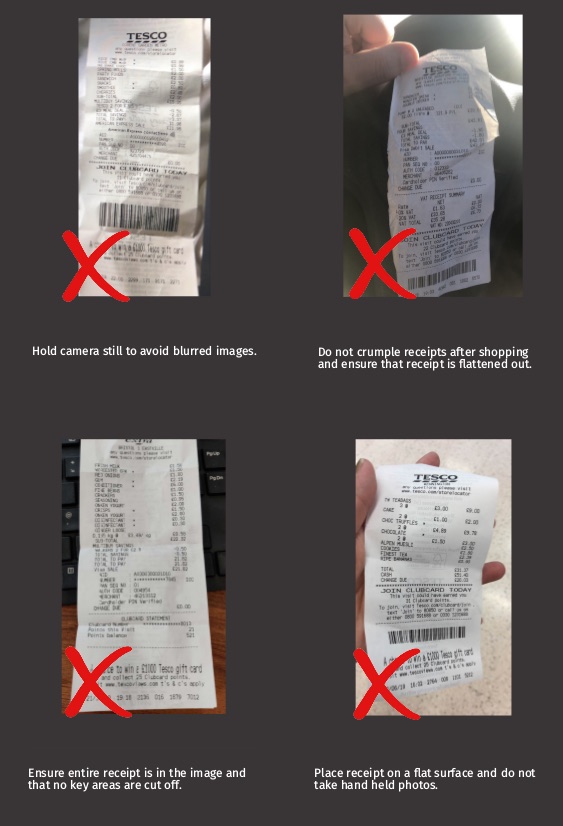
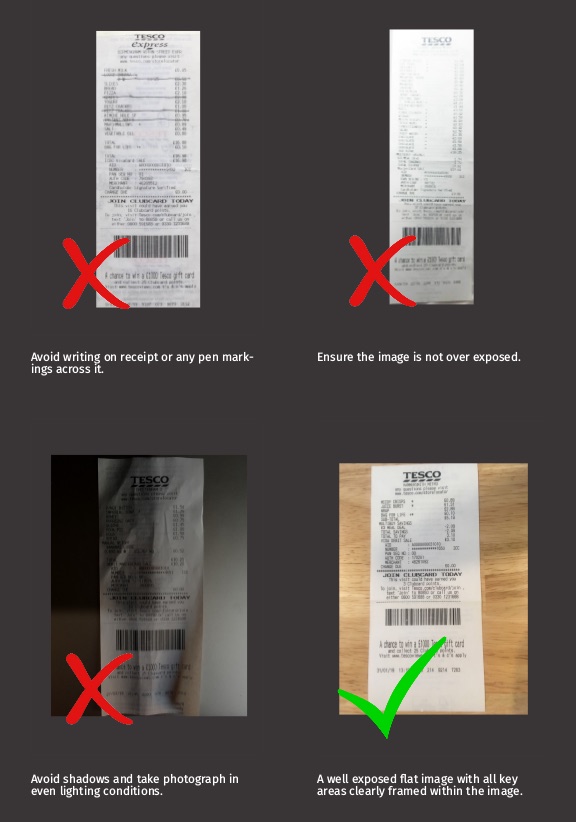
Limits and performance
- Formats
- JPEG and PNG. One file per call.
- Image size
- 720 by 1280 pixels or larger recommended. Smaller images are processed with code 300 as a warning.
- Processing time
- Usually a few seconds; allow up to 60 seconds before treating a result as timed out.
- Credits
- One credit per accepted upload (codes 200 and 300). Result and credit calls are free. Rejected uploads (4xx) do not use credit.
- Retention
- Images and results are deleted 90 days after upload.
- Rate limits
- Depend on your plan. Contact support before sending sustained bursts of more than a few requests per second.
Large batches: upload in parallel (a handful of concurrent connections is plenty), record every token, then poll. Do not open one connection per receipt and hold it while waiting.
Starter (free monthly credits), Per Credit, Business, Enterprise and Pro Service plans are described at tabscanner.com. Credits and limits are per account, not per API key.
Security and data handling
- Transport. HTTPS only. Requests over plain HTTP are not served.
- At rest. Uploaded images and extracted results are encrypted at rest.
- Retention. Images and results are deleted 90 days after upload. Persist anything you need in your own systems.
- Keys. API keys are shown once in the dashboard and can be rotated at any time. Multiple keys per account are supported.
- Client side. Never call the API from a device you do not control. Proxy through your backend.
For data processing agreements, hosting location and deletion requests, contact support@tabscanner.com.
Versioning
The API version is part of the process path: /api/2/process. The result endpoint has no version because a token already belongs to the version that created it. The current version is 2.
Within a version, changes are additive: new optional form fields and new result fields may appear at any time, which is why clients should ignore unknown fields. Field removals, type changes and behavioural changes only happen in a new version number, and the previous version keeps working for existing integrations.
Recent changes within version 2 are listed in the changelog.
AI agents and LLMs
If you are wiring Tabscanner into an agent, or you are an agent reading this, the short version is: one tool called scan_receipt that uploads, polls and returns the result object, plus get_credit. Do not expose the raw polling to the model.
The AI agents page has copy-pasteable tool definitions for Claude and OpenAI-style function calling, a reference implementation, the rules an agent must follow (body code, not HTTP status; stop conditions; idempotency), and which result fields to trust first.
Machine-readable resources:
- openapi.yaml: OpenAPI 3.1 with every field described and the code table under
x-tabscanner-codes. - schemas/result.schema.json: JSON Schema for the result object.
- llms.txt and llms-full.txt: this documentation as plain Markdown.
Support
Email support@tabscanner.com for technical questions, region requests, custom fields and anything not answered here. Include the token of a problematic upload and, if you can, the image, so we can reproduce it.